DC Labs · Free & open source · macOS
Keep your cadence.
Your words. Your rhythm.
Speak naturally. Cadence turns your voice into text wherever you’re typing. Hold a key, speak, release. Nothing leaves your Mac. Works offline, in two languages, for free.
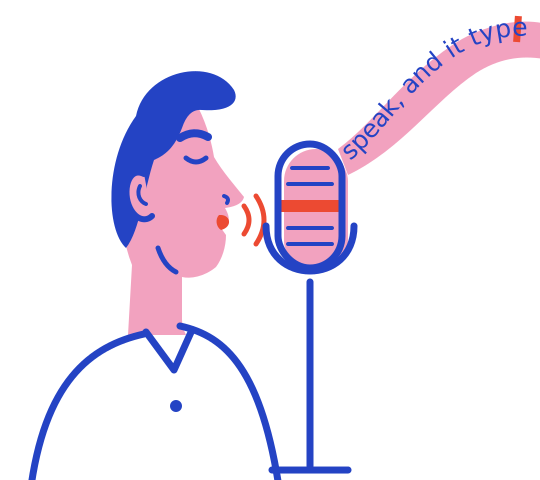
A browser demo: talk and the note fills in. The browser only hears how loud you are, so it types a sample sentence; the app types your real words. Nothing is recorded, saved or sent, and Stop gives the microphone back.
How it works
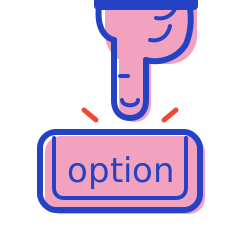
Hold
Hold Right ⌥ in any app. A small pill appears while you speak.
Speak
A quick draft shows as you talk. A second, more careful pass makes the final text.
Release
Let go and the text lands where your cursor is. Ctrl⌥⌘Z takes it back.
Features
Everything you need, nothing that phones home.

On your Mac, start to finish
Speech becomes text on your Mac's own chip, using OpenAI's open Whisper model. No server, no account, and no networking code at all. Turn off Wi-Fi and it still works.
Two languages, two keys
Right Option for one language, Left Option for the other. Switching costs a finger, not a menu, and no time spent guessing the language.
Your words, spelled right
A personal dictionary teaches it the names and terms you use most.
History, encrypted
Past dictations are kept in an encrypted database on your Mac, searchable, with copy and re-insert. Saving audio is off unless you turn it on.
See the time you save
A dashboard with time saved, words, speaking pace, your streak and where you dictate most.
Honest about every insert
Cadence checks that your text actually landed and never claims success when it didn't.
Compare
How Cadence compares
The facts that matter most, as of October 2026, from each product's own site. Prices change, so check the linked pages.
| Feature | Cadence | Wispr Flow | Superwhisper | Apple Dictation |
|---|---|---|---|---|
| Where your speech becomes text | On your Mac, always | In the cloud, always | On your Mac or in the cloud, by model | On your Mac for many languages |
| Works offline | Yes | No | Yes, with local models | Yes, for many languages |
| Price | Free | Free up to 2,000 words a week, then $12–15 a month | Free tier; Pro is paid | Free, built in |
| Open source | Yes, MIT | No | No | No |
| Platforms | Mac (Apple silicon) | Mac, Windows, iOS, Android | Mac, Windows, iOS, Android | Apple devices |
Where they win: Wispr Flow and Superwhisper run on far more devices and offer AI editing and cloud features that Cadence doesn't have. Apple Dictation needs nothing installed. Choose Cadence if you want your voice to stay on your Mac. Sources: Wispr Flow pricing and privacy, Superwhisper, Apple Dictation.
Download
Get Cadence
Install with one line
Open Terminal (press ⌘ Space, type Terminal, press Return), paste this and press Return:
curl -fsSL https://cadence-dictation.pages.dev/install.sh | shIt downloads Cadence, checks it's the genuine file, puts it in Applications and opens it. No security warning, no admin password. Run the same line again to update. Read the script first, it's short.
Apple silicon Mac · macOS 14 Sonoma or later · about 500 MB, because the speech model comes with it
or
Download Cadence.dmgOr with Homebrew:
brew tap danieljcuesta007/cadence https://github.com/danieljcuesta007/cadence
brew install --cask cadenceUsed the .dmg? Why macOS asks you to confirm
The one-line install skips all of this: Terminal downloads aren't flagged the way browser downloads are, and the script checks the file itself. If you downloaded the .dmg instead, read on.
Apple only skips that warning for apps from developers who pay $99 a year for its Developer Program. Cadence is free, and staying free meant not passing that cost on to you. So it isn't notarized by Apple, and macOS will ask you to confirm once, the first time you open it. That was a deliberate choice, not an oversight.
Open it the first time
- Drag Cadence onto Applications, then eject the Cadence disk. Open Cadence from Applications, not from the disk image.
- macOS says it can't check or verify the app. Click Done (or OK). Nothing is wrong with the file; this is the one-time notice for apps Apple hasn't notarized.
- Open System Settings › Privacy & Security and scroll down to Security. Next to "Cadence was blocked", click Open Anyway, then confirm with your password or Touch ID.
On macOS 14 Sonoma there's a shortcut: Control-click Cadence in Applications, choose Open, then click Open again.
After that it opens normally. Cadence then asks for two permissions: Microphone to hear you and Accessibility to type into other apps.
No Open Anyway button?
It only shows for about an hour after macOS blocks the app, so open Cadence once more and look again. If it still isn't there, paste this into Terminal, press Return, then open Cadence normally:
xattr -dr com.apple.quarantine /Applications/Cadence.appThat removes the "downloaded from the internet" flag macOS puts on the app, and changes nothing else. Only run it on a download whose checksum matches the one below.
Cadence needs an Apple silicon Mac (M1 or newer) on macOS 14 Sonoma or later. On an older Mac it won't open, even after these steps.
Want a desktop widget?
It comes with the app. Open the Cadence menu in your Mac’s menu bar and turn on Show Desktop Widget to see today’s and this week’s words, streak, pace, time saved and all-time words. Click the widget’s logo to open Cadence. Drag it to place it; hide it anytime from the same menu or its close button. It stays on your desktop while Cadence is running, and remembers your choice next time.
Check it's the real file
Every release publishes its SHA-256 checksum. In Terminal, run shasum -a 256 ~/Downloads/Cadence.dmg and compare the result with:
63e315ea93b98916ac648cd7b1d70ad8cfe885bdf94ba031f3dea38cf57c31c1You can also read every line of the source on GitHub, or build it yourself from there.
About the creator
Built by DC Labs, a Daniel J. Cuesta company.
Daniel is a student founder who runs a lot at once: Addisuna Coffee, a coffee company where every bag funds a student's learning in Ethiopia, and Wednesdays of Wisdom, a weekly letter. He talks faster than he types, in English and Spanish, and wanted dictation that kept his words on his own machine. So he built it. DC Labs is the studio behind the tools he makes.
Questions
Fair questions
Is it really free?
Yes. Cadence is open source under the MIT license, with no account, trial or word limit.
Does anything I say leave my Mac?
No. Transcription runs on your Mac, and Cadence has no networking code. History is encrypted on your disk, and audio is only kept if you turn that on.
Which languages?
Any language the bundled Whisper model handles, two at a time: one per Option key, or set either key to detect the language automatically. English and Spanish are tested the most.
Is the Terminal line safe?
It runs a short script you can read first. It only downloads the release from GitHub, stops if the file doesn't match the published checksum, and copies Cadence.app into Applications. No admin password, and it never touches your history in ~/.cadence.
Why does macOS warn me when I first open it?
It isn't notarized, because that costs $99 a year and Cadence is free. The one-line install avoids the warning entirely. If you used the .dmg, here's how to open it on any macOS version, and how to check the file is genuine.
Intel Mac? Windows? iPhone?
Not yet. Cadence is built for Apple silicon Macs only, so it won't open on an Intel Mac. Windows is planned.
Is it affiliated with Wispr Flow, Superwhisper, Apple or OpenAI?
No. They're named only to compare and to credit. Cadence is an independent project.